
Table of Contents
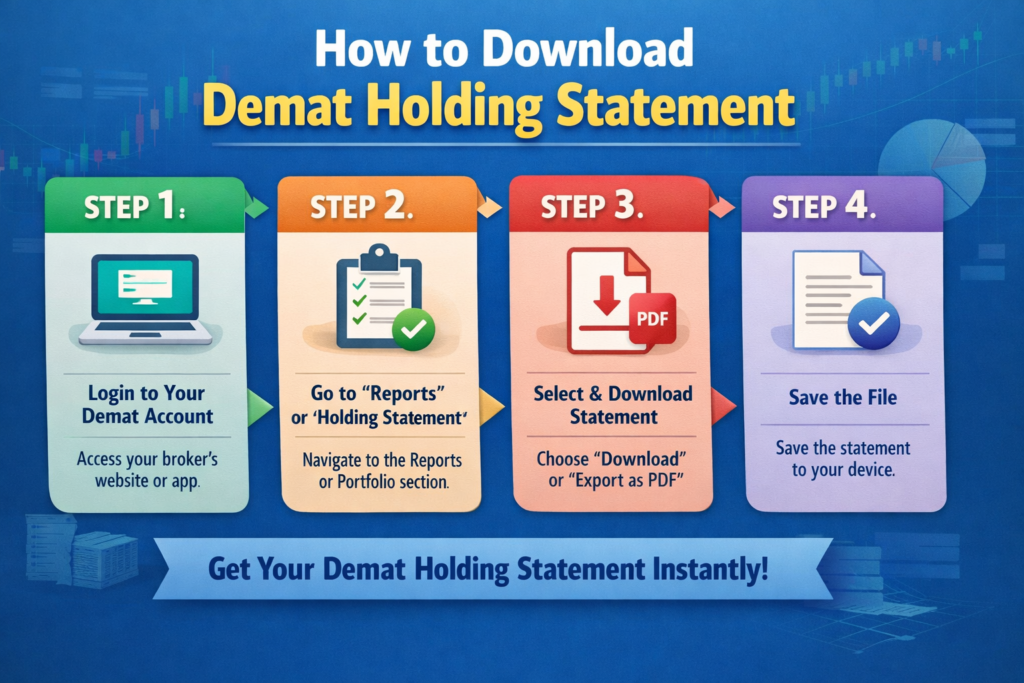
If you already have a Demat account, you’re one step ahead in your investing journey.
But here’s something most people struggle with 👇
“How do I actually download my Demat holding statement?”
Whether you need it for:
- Income proof
- Loan application
- Visa processing
- Portfolio tracking
This guide will walk you through everything step-by-step — across Zerodha, Groww, Upstox, Angel One, CDSL, and NSDL.
What is a Demat Holding Statement?
A Demat holding statement is an official document that shows:
- Stocks you currently own
- Quantity of shares
- ISIN numbers
- Current valuation
In simple words 👉
It’s like your investment report card.
Why is Demat Holding Statement Important?
Most beginners ignore this — but it’s actually very important.
You need it for:
✔ Loan against shares
✔ Visa applications
✔ Income proof
✔ Tax filing
✔ Portfolio tracking
Types of Demat Statements (Important)
Before downloading, understand this:
1. Holding Statement
- Shows current investments
- Snapshot of your portfolio
2. Transaction Statement
- Shows buy/sell history
👉 Many beginners confuse both — don’t make that mistake.
How to Download Demat Holding Statement (Quick Overview)
There are 2 main ways:
Method 1: Through Broker (Easiest)
- Zerodha
- Groww
- Upstox
- Angel One
Method 2: Through Depositories
- CDSL
- NSDL
How to Download Demat Holding Statement in Zerodha
Step-by-Step:
- Login to Zerodha Console
- Go to Reports → Holdings
- Click on Download
- Choose format (PDF/Excel)
- Select date range
- Download
👉 Pro Tip: Always use Console (not Kite) for statements.
How to Download Demat Holding Statement in Groww
Steps:
- Login to Groww
- Go to Stocks → Holdings
- Click Download Statement
- Choose PDF or Excel
👉 Groww is best for beginners because of its simple UI.
How to Download Holding Statement from Upstox
Steps:
- Login to Upstox
- Go to Portfolio → Holdings
- Click on Download Report
- Select format
How to Download Demat Holding Statement in Angel One
this process is very simple and beginner-friendly.
📥 Step-by-Step Process:
- Login to your Angel One account (via mobile app or web)
- Go to the Portfolio section
- Click on Holdings to view your current investments
- Look for the Download Statement / Reports option
- Choose your preferred format (PDF or Excel)
- Select the date range (if applicable) and download
📊 What Your Statement Includes:
- List of all stocks you hold
- Quantity of shares
- Average buy price
- Current market value
- Overall portfolio summary
💡 Pro Tips:
- Use PDF format for official purposes like loan or income proof
- Use Excel format if you want to analyze your portfolio
- Always download the latest statement (T+1 updated) for accuracy
How to Download Demat Holding Statement from CDSL
If your broker is linked to CDSL (which most Indian brokers are), this is one of the most reliable ways to download your Demat holding statement.
If you’re searching for how to download demat holding statement from CDSL or how to download demat holding statement CDSL, follow these simple steps:
- Visit the CDSL Easiest portal
- Login using your BO ID (Beneficial Owner ID) and password
- Navigate to the “Holding Statement” section
- Select the date or period for which you want the statement
- Click on Download (PDF)
Once downloaded, your statement will show:
- All your current holdings
- Stock quantities
- ISIN details
- Portfolio value
👉 This is considered the most accurate and trusted source because it comes directly from the depository, not the broker.
💡 Pro Tip: If you haven’t registered on CDSL Easiest yet, do it once—it makes tracking your investments much easier and more secure.
Also read:
👉 NSDL vs CDSL (Which Depository is Better?)
How to Download Demat Holding Statement from NSDL
f you’re searching for
👉 how to download demat holding statement from NSDL,
this method is one of the most powerful and complete ways to view your investments.
Unlike broker apps, NSDL provides a Consolidated Account Statement (CAS), which shows all your investments across multiple Demat accounts in one place.
🔍 What is NSDL CAS?
NSDL CAS (Consolidated Account Statement) is an official document that includes:
- All your Demat holdings
- Mutual fund investments
- Transactions across brokers
- Portfolio summary
👉 In simple terms:
It’s a complete financial snapshot of your investments.
📥 Steps to Download Demat Holding Statement from NSDL
Follow these steps carefully:
Step 1: Visit NSDL CAS Website
Go to the official NSDL CAS portal.
Step 2: Enter Your PAN Details
- Enter your PAN number
- Select statement type (Detailed / Summary)
👉 Always use the same PAN linked to your Demat account
Step 3: Choose Delivery Mode
You will get 2 options:
- Email (PDF download link)
- Online download (instant access)
👉 Choose “Online” for faster access.
Step 4: Verify Using OTP
- Enter OTP sent to your registered mobile/email
- Complete verification
Step 5: Download CAS Statement
Once verified:
- Your NSDL holding statement PDF will be generated
- Download and save it
📊 What Information is Included in NSDL Statement?
Your CAS will show:
✔ All stocks across brokers
✔ Mutual funds (SIP investments)
✔ ISIN numbers
✔ Portfolio value
✔ Transaction history
👉 This makes it more powerful than broker statements
💡 Why Use NSDL Instead of Broker Apps?
Here’s the key difference:
| Feature | Broker App | NSDL CAS |
|---|---|---|
| Shows one account | ✅ | ❌ |
| Shows all investments | ❌ | ✅ |
| Mutual funds included | ❌ | ✅ |
| Best for overview | ❌ | ✅ |
👉 If you have multiple Demat accounts, NSDL CAS is a must.
⚠️ Common Issues & Fixes
❌ Not receiving OTP?
- Check registered mobile/email
- Try again after 2–3 minutes
❌ No data showing?
- Ensure PAN is linked correctly
- Wait for latest update (T+1)
🔗 Pro Tip (Very Important)
If you want to track all your investments regularly, don’t rely only on apps.
👉 Read this:
How to Track All Your Demat Accounts in One Place
🧠 Final Insight
👉 Use broker apps for quick checks
👉 Use NSDL CAS for complete financial tracking
That’s the smartest way to manage your investments.
Which Method is Best?
| Method | Best For |
|---|---|
| Broker | Quick download |
| CDSL | Verified data |
| NSDL | Full portfolio view |
Common Problems & Solutions
❌ Unable to download statement
- Check login credentials
- Try desktop
❌ Statement not updated
- Wait for T+1 settlement
❌ Missing stocks
- Check multiple accounts
👉 Read:
Can You Link Multiple Bank Accounts to a Demat Account?
Advanced Tips (Important for Serious Investors)
1. Download Monthly Statements
Helps in tracking growth
2. Use NSDL CAS
Best for complete financial overview
3. Keep Records
Useful for tax & audits
If you’re new to Demat accounts, it’s important to understand how they work along with trading and bank accounts.
👉 Difference Between Trading Account, Demat Account, and Bank Account
When downloading your holding statement, you may also come across terms like CDSL and NSDL. If you’re confused, read this:
👉 NSDL vs CDSL – Which Depository is Better in India?
If you’re still choosing a broker, comparing platforms can help you make a better decision:
👉 Zerodha vs Groww for Beginners – Which is Better in 2026?
To manage your investments efficiently, you should also know how to track all your holdings in one place:
👉 How to Track All Your Demat Accounts in One Place
Finally, once you download your statement, the next step is building a strong portfolio:
👉 How to Build a Stock Portfolio for Beginners in India
FAQs
Is Demat holding statement free?
👉 Yes, completely free
Can I download it anytime?
👉 Yes, 24/7 access
Is it valid for loan?
👉 Yes, widely accepted
Final Thoughts From Paisatech
Downloading your Demat holding statement is not complicated —
you just need to know where to look.
👉 Best approach:
- Beginner → Use broker app
- Advanced → Use NSDL CAS
